



Microsoft Advertising integration
Microsoft Ads needs a consent signal first.
Microsoft requires one for EEA, UK and Swiss visitors, or UET stops tracking conversions. ConsentBit sends it from your banner, before the UET tag runs.
Key facts
Microsoft’s rule for European traffic, not a law.
Universal Event Tracking (UET) is the tag behind Microsoft Advertising conversions and remarketing. Since 5 May 2025, Microsoft requires advertisers to send a consent signal for visitors from the EEA, the UK and Switzerland. Microsoft accepts two kinds of signal, UET Consent Mode or IAB TCF, and asks that a site never use both at once.
5 May 2025
for visitors from the EEA, the UK and Switzerland.
Requirements
Five things Microsoft expects from your consent setup
Each requirement in plain terms, next to how ConsentBit covers it.
Collect valid consent from visitors in the EEA, UK and Switzerland
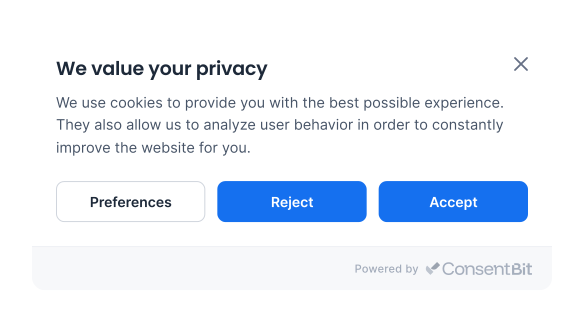
Visitors outside the US see a GDPR banner with Accept all, Reject all and a preferences panel.
Set the consent default before the UET tag runs
ConsentBit loads first and sets ad_storage, so UET never starts without a default.
Update the signal when the visitor chooses
The moment a visitor accepts, rejects or changes their mind, ConsentBit sends the update.
Use Consent Mode or IAB TCF, never both at once
ConsentBit picks the right method from your banner type automatically.
Cover Microsoft Clarity too, if you use it
ConsentBit sends the Clarity signal and the UET signal from the same banner choice.
How it works
How a choice reaches Microsoft Ads, step by step
This is the flow for the GDPR banner. The CCPA banner works the same way, but starts from granted.
The page loads
ConsentBit runs first and sets ad_storage to denied. The UET tag loads straight after, with no cookies.
The visitor chooses
Accept all, Reject all, or pick categories in the preferences panel.
ConsentBit sends the update
Allowing Marketing switches ad_storage to granted. Anything else leaves it denied.
UET adjusts
With consent, UET sets its cookies and tracks conversions and remarketing as normal. Without it, Microsoft collects only anonymous data.
Signal method
One banner, the right signal
Microsoft accepts two kinds of consent signal and doesn’t allow both at once. ConsentBit chooses based on the banner your site uses.
UET enforces one permission, ad_storage, and ConsentBit maps it from your Marketing category. A visitor who allows Analytics but not Marketing keeps ad_storage denied.
What Microsoft Ads can do, with and without consent
On the GDPR and CCPA banners, ConsentBit uses the Advanced setup Microsoft recommends: the UET tag loads either way, and the consent signal decides what it may store.
Order matters
UET treats consent as granted when it sees no default, so ConsentBit has to load first. Install the ConsentBit script above your UET tag.
The TCF banner works differently
If your site uses ConsentBit’s IAB TCF banner, the UET tag is held until the visitor chooses, then reads their consent from the TC string. Reject, and the tag doesn’t load at all.
Also using Microsoft Clarity? ConsentBit sends its consent signal from the same banner choice. See how Clarity consent works →
Setup
Set up UET with ConsentBit in 4 steps
Nothing to configure in ConsentBit. The order of the two scripts is what matters.
Install ConsentBit first
Add the ConsentBit script to the head of your site and publish your banner.
Add your UET tag below it
Paste the UET tag exactly as Microsoft Advertising provides it, under the ConsentBit script. Don’t add a blocking attribute.
Remove any consent code you added yourself
If a developer added consent or TCF code to your UET tag before, remove it. ConsentBit sends the signal for you, and Microsoft doesn’t allow both at once.
Check it
Open your site in a private window and run window.uetq.uetConfig.consent.adStorageAllowed in the console. It returns false before consent and true after you accept Marketing. Reject in a new private window, and confirm no MUID, _uetsid or _uetvid cookies appear.
Supported CMP
On Microsoft Advertising’s list of supported CMPs
Microsoft Advertising publishes the CMPs that support its Consent Mode, and ConsentBit is on it. Microsoft's entry links straight to ConsentBit's setup guide.
FAQ
Microsoft Ads consent questions, answered
Can't find what you need? Talk to our team at web@consentbit.com.
For visitors from the EEA, the UK and Switzerland, Microsoft requires a consent signal, through either UET Consent Mode or IAB TCF. It is Microsoft’s own requirement, based on the EU’s ePrivacy and GDPR rules, rather than a law in itself.
Microsoft stops tracking UET conversions and stops building remarketing lists for visitors from those regions, so conversion attribution and audience sizes drop. UET also treats consent as granted when no default reaches it, which is the opposite of what EU rules expect.
In Basic, the UET tag doesn’t load at all until the visitor consents. In Advanced, the tag loads with consent denied and Microsoft collects anonymous data that feeds modeled conversions. Microsoft recommends Advanced, and that’s what ConsentBit uses on the GDPR and CCPA banners.
Yes. If your site uses ConsentBit’s IAB TCF banner, UET takes the visitor’s choice from the TC string instead, including consent for Microsoft and Xandr. ConsentBit never sends both kinds of signal at once, which Microsoft doesn’t allow.
IAB TCF →
Clarity has its own consent signal. Microsoft’s Advertising documentation says to set it separately, while Clarity’s own FAQ says consent is handled by the UET tag when Clarity runs through it. Either way, ConsentBit sends both signals from the same banner choice, so the visitor’s choice reaches both. How Clarity consent works →
With consent, UET can set MUID, _uetsid, _uetvid and MSPTC, among others. With consent denied, none of them are written, and Microsoft only reads third-party cookies for fraud and spam checks, not for advertising.
No. On the GDPR and CCPA banners, the tag loads and the consent signal controls what it may store. On the IAB TCF banner, ConsentBit holds the tag until the visitor chooses. Either way, you don’t add blocking attributes yourself.
Yes. ConsentBit has a free plan, and every paid plan comes with a 14-day free trial. See pricing for what each plan includes. See pricing →
RELATED READING
Keep reading
Keep your Microsoft Ads data flowing, with consent
ConsentBit sets the signal before UET runs, updates it the moment a visitor chooses, and keeps a record of every choice.
This page is a general overview of Microsoft Advertising’s consent requirement, not legal advice. The requirement is Microsoft’s own. It doesn’t replace your obligations under privacy laws such as GDPR.