



Microsoft Clarity integration
Microsoft Clarity won’t set cookies without consent.
Since 31 October 2025, Clarity needs a consent signal for visitors from the EEA, the UK and Switzerland. ConsentBit sends it from your banner, so Clarity sets cookies only when a visitor agrees.
Key facts
Microsoft’s rule for European traffic, not a law.
Clarity is Microsoft’s free analytics tool, with heatmaps and session recordings. Microsoft doesn’t place Clarity cookies for visitors in the EEA, the UK or Switzerland unless a valid consent signal arrives first. If consent is denied, Clarity deletes the cookies it already set and keeps running without them.
31 October 2025
for page visits from the EEA, the UK and Switzerland.
Requirements
Five things Clarity expects from your consent setup
Each requirement in plain terms, next to how ConsentBit covers it.
Enable Consent Mode in your Clarity project
A one-time switch in Clarity. Nothing to configure in ConsentBit afterwards.
Pass a valid consent signal before cookies are set
ConsentBit sends the signal through Clarity’s Consent API as soon as the visitor chooses.
Treat Clarity’s cookies as non-essential
Clarity’s own cookies sit in Analytics, and Microsoft’s advertising ID sits in Marketing.
Keep the Clarity tag loading, consent or not
ConsentBit doesn’t block the Clarity script, so Clarity can always receive the signal.
Respect a withdrawn choice
When a visitor withdraws consent, Clarity deletes its cookies and returns to cookieless mode.
How it works
How a choice reaches Clarity, step by step
For visitors from the EEA, the UK and Switzerland, Clarity starts in a denied state and waits. Your banner decides what happens next.
The page loads
The Clarity tag loads. For visitors from the EEA, the UK and Switzerland, consent is denied by default, so no Clarity cookies are set yet.
The visitor chooses
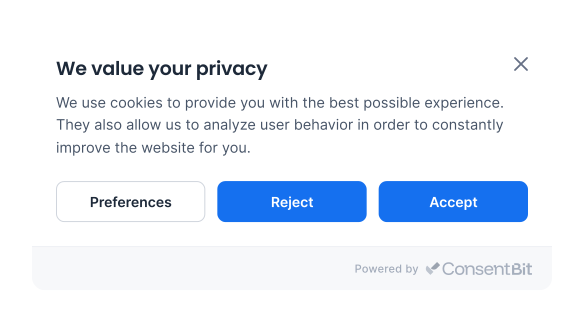
Accept all, Reject all, or pick categories in the preferences panel.
ConsentBit sends the update
Analytics and Marketing are passed to Clarity as two separate permissions.
Clarity adjusts
With consent, Clarity sets its cookies and recognizes returning visitors. Without it, Clarity keeps collecting cookieless data.
Permissions
Two permissions. One banner choice.
Clarity asks for two permissions, and ConsentBit sets each one from the matching banner category.
_clck and _clsk)MUID, Microsoft’s cross-site advertising identifier, and whether Clarity shares data with Microsoft AdsGranular choices are respected. A visitor who allows Analytics but not Marketing gets analytics_Storage granted and ad_Storage denied.
For US visitors, ConsentBit follows the opt-out model: both permissions stay granted until the visitor opts out, then both are denied.
What Clarity can do, with and without consent
Clarity keeps working either way. What changes is what it can store, and how accurate your reports are.
Cookieless, not blocked
ConsentBit doesn’t block the Clarity script. Microsoft needs the tag to load so it can receive the consent signal, and Clarity collects cookieless data until the visitor agrees.
Same banner, every tool
The choice a visitor makes also sets your Google Consent Mode signals, so Clarity, Google Analytics and Google Ads all follow the same decision.
Using Google tags as well? See how Consent Mode V2 works →
Setup
Set up Clarity with ConsentBit in 4 steps
The step most people miss is the first one.
Turn on Consent Mode in Clarity
In clarity.microsoft.com, open your project, go to Settings, then Setup, and turn the cookie setting off so Clarity waits for consent.
Install ConsentBit
Add ConsentBit to your site and publish your banner. The Clarity integration is on every plan, including the free one.
Add the Clarity tag as it comes
Paste Clarity’s tracking code unchanged. Don’t add a blocking attribute, and don’t add Clarity to any manual blocking rules.
Check it
Open your site, accept Analytics, then reload the page and confirm Clarity’s cookies (_clck and _clsk) appear. Reject, and confirm they’re removed.
Supported CMP
On Microsoft’s list of supported CMPs
Microsoft publishes the CMPs that Clarity supports, and ConsentBit is on it. You can check the list yourself.
FAQ
Clarity consent questions, answered
Can't find what you need? Talk to our team at web@consentbit.com.
For visitors from the EEA, the UK and Switzerland, yes. Since 31 October 2025, Clarity only sets its cookies when it receives a valid consent signal. Clarity’s cookies are not strictly necessary for your site to work, so EU rules treat them as cookies that need consent.
Clarity gives you the tools to use it in line with GDPR, but compliance depends on your setup. You need consent before Clarity’s cookies are set, a clear explanation in your banner, and a way for visitors to change their mind. ConsentBit handles those three parts. See what GDPR requires →
Clarity keeps collecting data without cookies, so your reports change. Every page view counts as its own session, no visitor counts as returning, and funnels show a full drop-off at each step. Microsoft lists the full set of effects in its documentation.
No, and you shouldn’t. Microsoft needs the Clarity tag to load so it can receive the consent signal. ConsentBit leaves the script alone and controls Clarity through the signal instead.
No. This page is about Clarity, Microsoft’s analytics tool. Microsoft Advertising uses its own consent signal through the UET tag, and ConsentBit supports that too. If you run Clarity through your UET tag, Microsoft says Clarity’s consent is handled by the UET tag, and ConsentBit already sends UET the visitor’s choice.
They are different systems, but they work the same way: your banner sends a signal and the tool adjusts. Clarity uses ad_Storage and analytics_Storage, near-identical names to Google’s, which writes them in lower case, and ConsentBit sets both from the same visitor choice. How Google Consent Mode V2 works →
Microsoft treats a consent choice as valid for up to 9 months, unless the visitor changes it sooner or your own settings ask again earlier.
Yes. ConsentBit has a free plan, and every paid plan comes with a 14-day free trial. See pricing for what each plan includes. See pricing →
Keep Clarity reporting accurate, with consent
ConsentBit sends Clarity the visitor’s choice, keeps the tag loading either way, and records every choice.
This page is a general overview of Microsoft Clarity’s consent requirement, not legal advice. Clarity’s consent rules are Microsoft’s own. They don’t replace your obligations under privacy laws such as GDPR.