

Webflow Cookie Consent: What Actually Blocks, and What Just Looks Like It Does
You can clone a free banner into any Webflow project in about four minutes. It will look right, sit where you want it, and match your brand. It will also let Google Analytics fire before anyone touches it.
ConsentBit is a Google-certified CMP with a native Webflow app. Scan your site, block what should be blocked, keep the record that proves it.
Consent, Done Better.
You can read the feature list all day. Here is what builders say after they have actually used it.

The installation Webflow was simple, lightweight and provides a great UX for our visitors. We'll be recommending to all of our clients.

ConsentBit is a wonderful solution with a clean UI for managing user consent with tracking scripts. I love that I can customize a ton of styling options to make the cookie consent banner look and feel part of my branded website. Publishing this solution to my site took me through an easy-to-navigate flow using their native Webflow app right in the Webflow canvas.

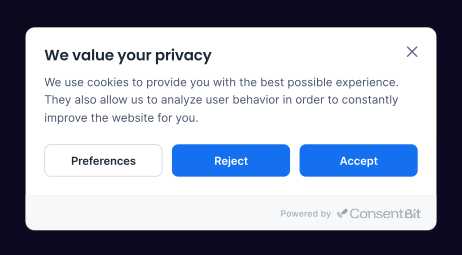
A banner is not consent
Webflow gives you a canvas, not a consent system. Everything else you add brings its own cookies: Google Analytics in the custom code field, a Meta Pixel, a Calendly embed, a chat widget, a YouTube video in a rich text block.
A cloned banner component does not know any of those exist. It appears, it collects a click, and the cookies were already set three seconds earlier.
What Webflow gives you, and what it leaves to you
Webflow is the best design tool on this list and it is not trying to be a CMP. That part is on you.
The five options Webflow users choose between
Competitor details last checked on 23 November 2026, against each vendor's own pricing page.
The short version. If you build only in Webflow and want to pay once, Consent Pro's lifetime licence is a genuinely good deal and we will not pretend otherwise. If you work across Webflow, WordPress, Shopify or anything else, one ConsentBit account covers all of them, and Consent Pro does not leave Webflow.
Four questions that decide it
How to add cookie consent to a Webflow site
Scan your site
Add your domain and ConsentBit returns every cookie and tracker found, including the ones your embeds brought with them.
Install the Webflow app
Open the ConsentBit app inside the Webflow canvas, design your banner, and publish it from there.
Publish your site
The banner goes live with your next publish. Non-essential scripts stay silent until someone agrees.
Most Webflow users are done in under five minutes.
How to check your Webflow site actually blocks cookies
Do not trust the banner. Test it. Two minutes.
Illustration of the test result. Cookie names are the examples from step 3.
Found cookies firing early?
Run a free scan and see every tracker on your site in under a minute.
What you get with ConsentBit
ConsentBit is a Google-Certified CMP Partner and an IAB TCF 2.3 registered CMP, used on 2,000+ websites and apps across 40+ countries, handling more than 100,000 consents a month.
Proof, not promises.
Every consent is logged with its timestamp and choices, and exports as CSV or JSON, so if a client or a regulator asks, you can answer.
Looks like your site, not like a legal notice.
Full design control on every paid plan.
- Free · 1 domain, 5,000 pageviews
- Basic $9 · per domain, per month
- Essential $20 · adds IAB TCF
- Growth $56 · adds geo rules and white label
Annual billing saves 12.5% to 33%. Every paid plan includes a 14 day trial, no card required.
ConsentBit for Webflow at a glance
Built for how Webflow work actually happens
Freelancers and studios.
Every client site on one dashboard, with Basic, Essential or Growth assigned per site. White label the banner on Growth and agency accounts, so it carries your client's brand, not ours.
Designers who care how it looks.
A consent banner is the first thing a visitor sees. Full design control on every paid plan, matched to the site rather than bolted onto it.
Teams running ads.
Consent Mode v2 keeps measurement working after someone declines, instead of going dark.
Running five or more client sites? Volume pricing starts at 30% off.
Four mistakes we see on Webflow sites
The cloned banner that blocks nothing.
It looks right in the designer and fails the DevTools test on the live site.
Scripts pasted straight into site settings.
Anything in that field runs on load, regardless of what the banner says.
Reject buried in the preferences modal.
Refusing has to be as easy as accepting, on the first screen.
The cookie list from the day it launched.
Embeds get added, trackers come with them, and the policy never catches up.
Frequently asked questions
No. Webflow gives you full design control and custom code fields, but no consent logic, no script blocking and no consent records. Those come from a consent tool.
Usually not on its own. A cloned component shows a message and stores a click. GDPR asks that non-essential scripts stay blocked until the visitor agrees, which a design component cannot do.
Install the ConsentBit app from inside the Webflow canvas, design and publish your banner, then publish your site. Most people are done in under five minutes.
It depends on what you need. Finsweet Consent Pro is Webflow native and design led. Cookiebot, CookieYes and Usercentrics are established CMPs installed by script. ConsentBit is the one that is both: a native Webflow app and a Google-certified CMP that also covers your non-Webflow sites.
Plans start at $9 a month per domain for Basic. Essential is $20 and Growth is $56, with annual billing saving between 12.5% and 33%.
Yes. One domain, 5,000 pageviews a month, with GDPR and CCPA coverage, automatic script blocking and Google Consent Mode v2 included.
No. ConsentBit loads as a single lightweight script and does not block your page from rendering. Holding back tracking scripts until consent often makes that first load lighter.
Yes. Once published, the banner appears across the whole site, including CMS collection pages.
Yes. Google Consent Mode v2 is included on every plan, so your Google tags receive the visitor’s choices.
Yes. Agencies manage every client site from one dashboard and can assign Basic, Essential or Growth per site. Volume discounts start at 30% off from five domains and reach 50% at 100 or more.
Webflow, Framer, WordPress, Shopify, Squarespace, Wix, Magento, Drupal, Joomla, plain HTML and any site where you can add a script. Webflow and Framer have native apps.
Yes. Consent records export as CSV or JSON, with timestamps and the exact choices made.
Scan. Block. Prove.
Consent, Done Better.
Install the app, publish your site, and nothing tracks before it should.