



Squarespace has a cookie banner. It does not have cookie consent.
Switch on the Squarespace banner and it will tell visitors you use cookies. What it will not do is stop the Google Analytics, Meta Pixel or booking widget you pasted into Code Injection from firing before anyone clicks a thing.
ConsentBit closes that gap in about ten minutes, through the same Code Injection panel. Scan your site, block what should be blocked, keep the record that proves it.
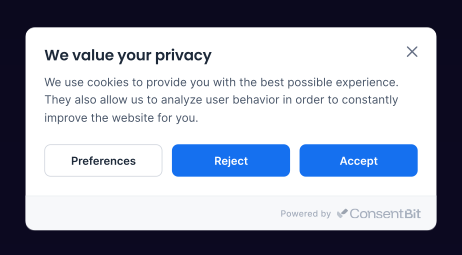
A banner is not consent
A banner announces cookies. Consent means nothing non-essential runs until the visitor agrees.
Squarespace built you the first part. The second part depends on something it cannot do, because Squarespace has no consent API of its own. Any script you add through Code Injection runs on its own schedule, and the banner has no way to hold it back.
So on a plain Squarespace site with nothing added, the built-in banner may be all you need. The moment you paste in a tracking script, the picture changes.
What the built-in banner covers, and where it stops
Four questions that decide it
How to add cookie consent to Squarespace
Adding ConsentBit to Squarespace takes one script and no app or plugin.
Scan your site
Add your domain and ConsentBit returns every cookie and tracker found, including the ones your embeds brought with them. You start from a list instead of a guess.
Paste the script
In Squarespace, open Settings → Developer Tools → Code Injection, paste the ConsentBit script into the Header field, and save. Code Injection is available on Business plans and above.
Set your rules and publish
Choose categories, style the banner to match your template, set your regions, publish. Scripts stay silent until someone agrees.
The script is lightweight and loads asynchronously, so your pages render as fast as they did before. Blocking trackers until consent often makes that first load lighter, not heavier.
Then turn the Squarespace banner off. Two banners asking the same question is worse than one.
How to check your site actually blocks cookies
Do not take the banner's word for it. This takes two minutes.
Most Squarespace sites running only the built-in banner fail step 3. That screenshot is the whole problem in one image, and it is worth taking before you change anything, so you can compare afterwards.
Run it again every time you add an embed.
Illustration of the test result. Cookie names are the examples from step 3.
What changes once ConsentBit is on
Nothing tracks before it should.
Analytics, pixels, chat widgets and embeds stay off until the visitor chooses. That is the part regulators actually care about.
You can answer the question “prove it”.
Every consent is logged with its timestamp and choices, and exports as CSV or JSON whenever you need it.
Your banner looks like your site.
Full design control on every paid plan, with translations you can add for the languages your audience uses.
Your other sites come along.
The same account covers WordPress, Webflow, Framer, Shopify, Wix, Magento, Drupal, Joomla and anything else where you can add a script. For a studio running client sites across platforms, that is one tool instead of four.
Plans start at $9 a month per domain for Basic, with Essential and Growth for larger sites. A free plan covers one domain and 5,000 pageviews a month, and every paid plan comes with a 14-day trial and no card required.
ConsentBit for Squarespace at a glance
Built for how Squarespace sites get used
Designers and studios
Client sites rarely all sit on one platform. One account, one set of banner settings, and every site managed from the same dashboard.
Service businesses
Calendly, chat widgets and booking embeds each set cookies. Automatic scanning finds them, blocking holds them.
Shops and course sellers
If there is a pixel on the site, there is an ad budget behind it, and Consent Mode v2 keeps that measurable after someone declines.
Frequently asked questions
Yes. Squarespace includes a built-in banner with Accept, Decline and Manage options, which you enable under Settings. It covers Squarespace’s own cookies, but it does not block third-party scripts you added through Code Injection.
On a simple site with no added tracking, properly configured, it can be. GDPR requires non-essential scripts to stay blocked until consent, and the built-in banner does not do that for scripts you added yourself.
Paste the ConsentBit script into Settings → Developer Tools → Code Injection → Header, choose your cookie categories, then publish and switch the built-in banner off.
Code Injection is available on Squarespace Business plans and above, and that is where the ConsentBit script goes.
Plans start at $9 a month per domain for Basic. Essential is $20 and Growth is $56, with annual billing saving between 12.5% and 33%. Every paid plan includes a 14-day trial and no card is required.
Yes. The free plan covers one domain and 5,000 pageviews a month, with GDPR and CCPA coverage, automatic script blocking and Google Consent Mode v2 included.
No. Use one. Asking a visitor twice is confusing, and the two can disagree about what was consented to.
The script is lightweight and loads asynchronously, so it does not hold up rendering. Blocking trackers until consent often makes that first load lighter.
Yes. Booking tools, chat widgets and video embeds each set their own cookies when the page loads. ConsentBit blocks them until the visitor agrees, whichever block you added them through.
Yes. Agencies manage every client site from one dashboard and can assign Basic, Essential or Growth per site. Volume discounts start at 30% off from five domains and reach 50% at 100 or more, and the banner can be white-labelled with custom CSS.
Squarespace, WordPress, Webflow, Framer, Shopify, Wix, Magento, Drupal, Joomla, plain HTML and any site where you can add a script to the header. Webflow and Framer also have native apps. One account covers all of them.
Yes. Consent records export as CSV or JSON, with timestamps and the exact choices made.