

Cookie consent for online stores
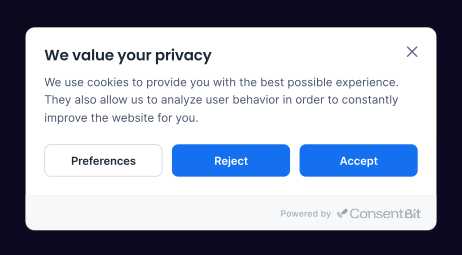
Your store runs more third-party scripts than any other kind of website. A Meta Pixel, an email tool, a reviews app, a chat widget, a TikTok tag. ConsentBit blocks every one of them until a customer chooses, and keeps the record that proves it.
Consent, Done Better.
Shopify’s banner does not cover your apps. Shopify says so.
If you sell on Shopify you probably have the built-in cookie banner switched on and assume that is handled. Read Shopify’s own documentation and the scope is narrower than most merchants realise.

Source: Shopify Help Center, “Configuring customer privacy settings”
That is the whole problem in one paragraph. Shopify’s banner handles Shopify. It does not handle the Meta Pixel you pasted into your theme, the Klaviyo script, the TikTok tag, the Hotjar recording, or the twelve apps you installed and forgot about. Those fire on page load and set cookies before anyone clicks anything.
And Google needs the signal to keep your measurement working
If you run Google Ads or Shopping, Google’s position is that advertisers must collect consent from EEA end users and share those consent signals with Google in order to keep using measurement, ad personalisation and remarketing features. Consent Mode v2 is how those signals get passed. (Source: Google Tag Manager Help, “Updates to consent mode for traffic in European Economic Area”)
Without it, declining customers go completely dark in your reporting. With it, Google still models conversions from the visitors who said no. For a store, that is the difference between a usable ROAS number and guesswork.
ConsentBit for ecommerce at a glance
Four things that go wrong on a store
Your pixels fire before the banner appears.
Page loads, Meta Pixel sets _fbp, Google Analytics sets _ga, the banner slides up three seconds later. The customer’s choice was never real. Block first, ask second.
Your app stack grows and nobody updates the cookie list.
Stores install apps constantly. Each one can bring its own tracking. A cookie policy written at launch is wrong within a month.
Your regions do not match.
Shopify warns about this one directly. If the consent regions in your Shopify settings and your third-party app settings are different, non-essential data can be processed before a visitor gives consent. Two banners configured independently is worse than one configured properly.
Your analytics drops and you blame the wrong thing.
Shopify’s documentation notes that in banner regions you should expect decreased session counts and other session-dependent metrics, including conversion rate. That drop is correct behaviour, not a tracking bug, and Consent Mode v2 is what recovers some of the measurement.
Built for stores
Nothing loads until they choose.
Analytics, marketing and app scripts wait for consent, automatically, on every plan including the free one.
Looks like your site, not like a legal notice.
Full design control on every paid plan. On a store, the banner is the first thing between a visitor and your product, so it should look like it belongs.
Proof, not promises.
Every choice is logged with its timestamp and exports as CSV or JSON. Shopify keeps two years of privacy policy versions and states that maintaining records of changes is your responsibility. Consent records are the other half of that.
See what your store sets before anyone clicks
Free scan, every cookie, pixel and app tracker, under a minute.
What store owners actually choose between
CMP IDs and certification status above are taken from Google’s published list of certified CMPs, so those cells are verified. Pricing and feature cells marked for checking are pending the competitor verification pass.
The short version. If you only sell on Shopify and want an app you install in two clicks, Pandectes and Consentmo are built for exactly that and we are not. If you run a store plus a marketing site, or you sell on more than one platform, one ConsentBit account covers all of them and the Shopify-only apps do not.
Competitor pricing last checked on [date].
How to set this up on Shopify without creating a second problem
This order matters. Running ConsentBit alongside Shopify’s own banner, with mismatched regions, is the one mistake that leaves you worse off than before.
Scan your store
Add your domain and ConsentBit returns every cookie, pixel and app tracker it finds.
Add the ConsentBit script
to your theme and configure your banner.
Remove Shopify’s banner
In your Shopify admin go to Settings, then Customer privacy, then Cookie banner, then Remove cookie banner.
Match your regions
Still in Customer privacy, set the banner regions to exactly the regions where ConsentBit shows its banner. Shopify warns that mismatched regions allow non-essential data to be processed before consent.
Name Shopify in your banner text
Shopify asks third-party CMP users to refer to Shopify by name and gives recommended wording. Your privacy policy also has to link to Shopify’s Consumer Privacy Policy. Almost no store does this, and it takes two minutes.
Publish and test
Open your store in a private window, check Application then Cookies in DevTools before touching the banner, and confirm nothing non-essential is there.
Three things to know before you choose us
We are not in the Shopify App Store.
Install is a script in your theme, not a one-click app. If you want app-store billing and a two-click install, Pandectes or Consentmo will suit you better.
Shopify’s checkout is Shopify’s.
Third-party scripts cannot run inside Shopify’s hosted checkout the way they run on your storefront, so consent behaviour there is governed by Shopify’s own tooling.
Headless and Hydrogen stores need developer work.
It is a script, so it works, but wiring it into a custom storefront is not a five-minute job.
Store pricing, by traffic rather than by feature
Most stores do not need IAB TCF, so the plan you want is usually decided by pageviews.
Free.
5,000 pageviews a month, one domain. Script blocking and Consent Mode v2 included. Good for a store that is still finding its feet.
Basic, $9 per domain per month.
100,000 pageviews. Custom colours and multiple languages.
Essential, $20 per domain per month.
500,000 pageviews. Adds IAB TCF v2.3 if you need it.
Growth, $56 per domain per month.
2 million pageviews. Adds region-based rules and removes ConsentBit branding from your banner.
Annual billing saves 12.5% on Basic, 25% on Essential and 33% on Growth. Every paid plan has a 14 day trial with no card required.
Running stores for clients? Agencies get a unique discount based on plan and number of domains. Get my discount →
Frequently asked questions
Yes, under Settings then Customer privacy. Shopify’s documentation states that it governs Shopify-specific tools including Shopify cookies and Shopify Pixels. For third-party pixels or app scripts you installed yourself, Shopify says you may need a third-party cookie banner or custom logic so those honour customer consent.
You should not run both banners. Remove Shopify’s banner, then set the regions in Shopify’s Customer privacy settings to match the regions where ConsentBit shows its banner. Shopify warns that mismatched regions allow non-essential data to be processed before consent.
Yes. Automatic script blocking is on every plan, free plan included, and applies to third-party pixels and app scripts, not just Shopify’s own.
Your measured conversion rate will usually drop in EEA and UK traffic, because sessions from people who decline are no longer tracked the same way. Shopify documents this directly. Your actual sales do not change. Consent Mode v2 recovers part of the measurement by letting Google model conversions from unconsented visitors.
Not currently. Installation on Shopify is by adding a script to your theme. One account then covers your store and any non-Shopify sites you run.
Yes. ConsentBit works on any site where you can add a script, which covers all three, plus WordPress, Webflow, Framer, Squarespace and Wix.
Usually not. TCF matters if you sell ad inventory. If you buy ads rather than sell them, Consent Mode v2 is the piece you need, and it is on every plan.
Yes. Consent records export as CSV or JSON with timestamps and the exact choices made, on every plan.
Scan. Block. Prove.
Consent, Done Better.
Every pixel held back until your customer chooses, and a record of every choice.