

Joomla Cookie Consent: What the Extensions Do, and What They Miss
Joomla has around twenty cookie extensions, and they are not the same. Some show a banner and nothing more. A few genuinely hold scripts back. n3t Cookie Consent, one of the popular ones, says it blocks cookies "but not blocking scripts itself, like Google Analytics, Google Tag Manager etc."
Where most of them stop is the rest of the job: scanning your site for what your extensions and embeds added, keeping consent records you can export, sending consent signals to Google, and staying compatible through Joomla major versions.
ConsentBit is a Google-certified CMP that runs on Joomla from a single script.
Consent, Done Better.
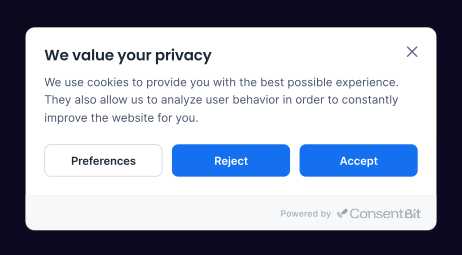
A banner is not consent
A banner announces cookies. Consent means nothing non-essential runs until the visitor agrees.
On Joomla the gap usually sits between the template and the extension list. Analytics arrives through a plugin, a map or video arrives in an article, a marketing tag arrives through Google Tag Manager, and the banner configured two years ago knows about none of them.
What Joomla gives you, and what it leaves to you
Joomla’s privacy features cover data requests and consent logging for forms. Cookies and third-party tracking are a separate problem.
Joomla options, compared
Last checked 23 November 2026, against each extension's listing in the Joomla Extensions Directory.Last checked: [date]. Extension capabilities verified against their listings in the Joomla Extensions Directory.
The honest version. If you run one Joomla site with a short tracker list, a maintained extension will do the job, and some of them do it well. The case for a CMP is several sites on different platforms, a marketing team that adds tags, Consent Mode v2 and TCF, or anyone who will eventually be asked for records.
How to add cookie consent to a Joomla site
Scan your site
Add your domain and ConsentBit returns every cookie and tracker found, including the ones your extensions brought with them.
Add the script
Go to System → Site Templates, open your active template’s index.php, and paste the ConsentBit script before the closing </head> tag. You can also use a custom HTML module published to a head position.
Set your rules and publish
Choose your categories, style the banner, set your regions, publish. Non-essential scripts stay silent until consent.
How to check your Joomla site actually blocks cookies
Two minutes, browser only.
Illustration of the test result. Cookie names are the examples from step 3.
Found cookies firing early?
Run a free scan and see every tracker on your site in under a minute.
What changes once ConsentBit is on
Nothing tracks before it should.
Analytics, tags, embeds and third-party widgets stay off until the visitor chooses.
Your cookie list stays current.
Automatic scanning catches what was added since the last review.
Proof, not promises.
Every consent is logged with its timestamp and choices, and exports as CSV or JSON.
Your other sites come along.
The same account covers Joomla, WordPress, Webflow, Framer, Shopify, Squarespace, Wix, Magento, Drupal and anything else where you can add a script.
- Free · 1 domain, 5,000 pageviews
- Basic $9
- Essential $20
- Growth $56 per domain, per month
Annual billing saves 12.5% to 33%. 14 day trial, no card required.
ConsentBit for Joomla at a glance
Five mistakes we see on Joomla sites
The banner configured at launch.
Extensions have been added since, and none of them are in the cookie list.
Analytics hardcoded in the template.
Anything in index.php fires regardless of what the banner says.
An extension that stopped being maintained.
A major version upgrade leaves consent broken until someone notices.
No consent records.
A banner proves you asked. An export proves they answered.
An extension that never supported Joomla 6.
Joomla 6 arrived in October 2025. A consent extension that stopped at 5 leaves your banner behind at the exact moment you upgrade.
Frequently asked questions
Not for cookies. Joomla has privacy tools and a consent plugin framework for forms, but no cookie banner and no script blocking. Those come from an extension or a consent platform.
For a single site with a short tracker list, the free extensions do the job. The reason to use a CMP instead is automatic scanning, exportable consent records, Consent Mode v2 and managing several sites from one place.
Paste the ConsentBit script into your active template’s index.php before the closing head tag, or publish it through a custom HTML module in a head position, then set your categories and publish.
Yes, and with older Joomla 4 sites. ConsentBit runs as a script rather than an extension, so there is nothing to keep compatible when you move between major versions. Joomla 4 reached end of life in October 2025, so if you are still on it, the upgrade is worth doing for reasons beyond consent.
Yes. Scripts stay blocked until consent, and Google Consent Mode v2 is included on every plan.
Plans start at $9 a month per domain for Basic. Essential is $20 and Growth is $56, with annual billing saving between 12.5% and 33%.
Yes. One domain, 5,000 pageviews a month, with GDPR and CCPA coverage, automatic script blocking and Google Consent Mode v2 included.
Yes. Every site gets its own banner and settings, managed from one dashboard, with volume discounts from 30% off at five domains.
Joomla, WordPress, Webflow, Framer, Shopify, Squarespace, Wix, Magento, Drupal, plain HTML and any site where you can add a script.
Yes. Consent records export as CSV or JSON, with timestamps and the exact choices made.
Scan. Block. Prove.
Consent, Done Better.
One script, no extension to maintain.