

Google Tag Manager Cookie Consent: How Consent Mode Actually Fits Together
Google Tag Manager fires your tags. It does not ask anyone for permission, and it does not keep a record of what they said. Those two jobs belong to a consent platform, and GTM is built to listen to one.
ConsentBit is a Google-certified CMP with Consent Mode v2 on every plan. Scan your site, block what should be blocked, keep the record that proves it.
Consent, Done Better.
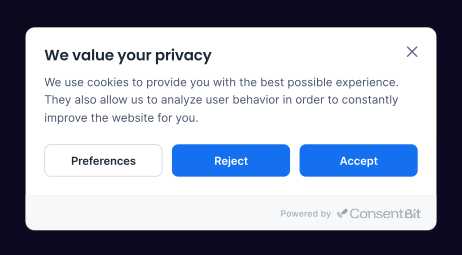
A banner is not consent
A banner announces cookies. Consent means nothing non-essential runs until the visitor agrees, and that your tags are told what they agreed to.
GTM makes this easy to get wrong, because a tag can fire on page view before the banner has rendered, let alone been clicked. The container is doing exactly what you told it to do.
What GTM does, and what it leaves to you
GTM has consent support built in. What it does not have is anything that asks the question or stores the answer.
The three pieces, in plain terms
Consent Mode v2.
Four signals your CMP sets: ad_storage, analytics_storage, ad_user_data and ad_personalization. Google tags read them and adjust behaviour instead of simply not firing, so you keep modelled conversions after someone declines.
Basic versus advanced.
In basic mode, Google tags do not load at all until consent. In advanced mode they load in a restricted state and send cookieless pings, which is what preserves measurement. Advanced is what most advertisers want, and it is what Consent Mode v2 was designed for.
The consent initialization trigger.
GTM runs this before everything else, which is where your CMP must set its default states. Set them to denied there, update on the visitor’s choice, and no tag fires ahead of the answer.
Get those three right and the rest of the container behaves.
Two ways to handle consent in GTM
Blocking triggers were the old way and they still appear in a lot of containers. If you run ads into the EEA or UK, Consent Mode v2 is not optional.
How to set up cookie consent in Google Tag Manager
Scan your site
Add your domain and ConsentBit returns every cookie and tracker found, including the ones firing through GTM.
Add ConsentBit before GTM
Place the ConsentBit script in the head so it runs first and sets the default consent states to denied.
Confirm in preview
Open GTM preview, check that your default states show as denied before any click, and that they update when consent is given.
How to test your consent setup in GTM
Two checks, five minutes.
In the browser:
In GTM preview:
Illustration of the test result. Cookie names are the examples from step 3.
Not sure what is firing?
Run a free scan and see every tracker on your site in under a minute.
What you get with ConsentBit
ConsentBit is a Google-Certified CMP Partner and an IAB TCF 2.3 registered CMP, used on 2,000+ websites and apps across 40+ countries.
Proof, not promises.
Every consent is logged with its timestamp and choices, and exports as CSV or JSON.
- Free · 1 domain, 5,000 pageviews
- Basic $9
- Essential $20
- Growth $56 per domain, per month
Annual billing saves 12.5% to 33%. 14 day trial, no card required.
ConsentBit with GTM at a glance
Four mistakes we see in GTM containers
Consent defaults set after the container loads.
They belong in consent initialization, before anything else runs.
Blocking triggers instead of consent mode.
Tags stop firing, measurement goes to zero, and the EEA requirement still is not met.
Scripts hardcoded in the theme as well as in GTM.
The container behaves, the hardcoded copy does not.
Nobody checks the consent tab.
GTM preview shows exactly what state each tag saw. It takes thirty seconds and almost nobody looks.
Frequently asked questions
No. GTM can read consent states and adjust which tags fire, but it does not show a banner, ask the visitor or store the answer. That comes from a consent management platform.
A set of four signals (ad_storage, analytics_storage, ad_user_data, ad_personalization) that your CMP sets and Google tags read, so tags adjust their behaviour based on consent rather than simply not firing.
If you serve ads to visitors in the EEA or UK and use Google’s ad platforms, yes. Consent Mode v2 with a Google-certified CMP is required for personalised advertising there.
A GTM trigger that runs before everything else in the container. Default consent states belong there, so no tag fires before the visitor’s choice is known.
Consent mode. Blocking triggers stop tags entirely, which satisfies nothing and loses all measurement. Consent mode keeps modelled data after a decline.
Place the ConsentBit script in the head so it loads ahead of your container and sets defaults to denied, then confirm the states in GTM preview.
[verify with product]
Plans start at $9 a month per domain for Basic. Essential is $20 and Growth is $56, with annual billing saving between 12.5% and 33%.
Yes. Consent records export as CSV or JSON, with timestamps and the exact choices made.
Scan. Block. Prove.
Consent, Done Better.
Your container does what you tell it. Tell it the truth about consent.