



WordPress GDPR Compliance: Cookie Consent That Actually Blocks
WordPress helps you handle data requests. It does not stop Google Analytics, Meta Pixel or an embedded video from setting cookies before your visitor agrees to anything.
ConsentBit does three jobs on your WordPress site: scan, block, prove. It finds every cookie your plugins set, keeps the non-essential ones silent until consent, and keeps the record that proves it.
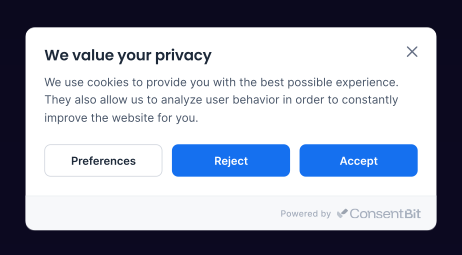
A banner is not consent
Most WordPress sites get this backwards. They add a banner, it looks right, and everyone assumes the job is done.
Meanwhile the analytics script in the header already ran. The pixel already fired. The YouTube embed already dropped its cookies. The visitor is shown a choice that was never real.
GDPR does not ask you to announce cookies. It asks you to wait for permission before setting them. That gap, between announcing and waiting, is where most WordPress sites fail.
What GDPR requires from a WordPress site
US state privacy laws add one more: honour the Global Privacy Control signal sent by the browser, without the visitor touching your banner at all.
What WordPress handles, and what it leaves to you
WordPress core includes real privacy tools. None of them are cookie consent.
Here is what most guides skip: the cookies on a WordPress site rarely come from WordPress. They come from your plugins. Analytics, forms, chat widgets, heatmaps, social embeds and page builder elements each bring their own trackers, and each one fires on page load unless something stops it.
Three ways to add cookie consent to WordPress
How to add cookie consent to WordPress
To add cookie consent to WordPress with ConsentBit, paste one script before the closing head tag. No plugin from us is required.
Scan your site
Create your account and add your domain. ConsentBit scans the site and returns every cookie and tracker your plugins set, so you start from facts instead of guesses.
Add one script
Paste the ConsentBit script before the closing </head> tag. The simplest route is a header script plugin such as WPCode, under Code Snippets → Header.
If you prefer editing files, use a child theme so a theme update does not remove it.
Set your rules and publish
Choose your cookie categories, style the banner to match your site, set your regions, and publish. Non-essential scripts stay silent until consent.
How to check your WordPress site actually blocks cookies
Do not trust the banner. Test it. This takes two minutes.
Run this test again every time you install a new plugin.
Illustration of the test result. Cookie names are the examples from step 3.
What you get with ConsentBit
ConsentBit is a Google-Certified CMP Partner and an IAB TCF 2.3 registered CMP, used on 2,000+ websites and apps across 40+ countries, handling more than 100,000 consents a month.
Proof, not promises.
Every consent is logged with its timestamp and choices, and exports whenever you need it, so if a regulator asks, you can answer.
Looks like your site, not like a legal notice.
Full design control on every plan.
Free plan available, and every paid plan comes with a 14-day trial and no card required.
ConsentBit for WordPress at a glance
Built for how WordPress sites really run
Site owners who don’t want to touch code
Scan, paste one script, publish. No consent plugin to install, update or troubleshoot.
Agencies running client sites
One account covers WordPress, Webflow, Framer, Shopify and any custom build, so your team learns one tool instead of a different plugin per client.
WooCommerce and ad-funded sites
The sites with the most pixels carry the most exposure. Automatic blocking covers all of them, including the ones a plugin added last month.
Multilingual sites
Add translations for the languages you need and choose which one the banner shows.
Four mistakes we see on WordPress sites
The banner loads after the trackers.
The cookies are already set by the time anyone sees a choice.
Reject is buried.
A bright Accept button and grey Reject text is not a free choice.
The cookie list is a year old.
Three plugins have been added since, each possibly with trackers your policy never mentions.
No record of consent.
A banner proves you asked. A consent log proves they answered.
Frequently asked questions
If your site sets non-essential cookies through analytics, pixels, embeds or plugins, GDPR asks you to get consent before those cookies are set. A banner is how you ask; blocking is what makes the answer count.
Not fully. WordPress core includes a privacy policy template and tools for personal data export and erasure, but no cookie consent banner, no script blocking, no consent records and no cookie scanning.
Not with ConsentBit. You paste one script before the closing head tag, so there is no consent plugin to install, update or troubleshoot.
Scan your site, paste the ConsentBit script before the closing head tag (a header script plugin such as WPCode works), then set your rules and publish.
WordPress, Webflow, Framer, Shopify, Squarespace, Wix, Magento, Drupal, Joomla, plain HTML, and any site where you can add a script.
Yes. Google Consent Mode v2 is included on all plans, so your Google tags receive each visitor’s consent choices.
Yes. ConsentBit runs as a script in the head of your site rather than as a plugin, so it sits alongside any theme or page builder and there is nothing to break when they update.
Yes. Every consent is logged with its timestamp and choices, and exports whenever you need it, so if a regulator asks, you can answer.
Scan. Block. Prove.
Make your WordPress site compliant in minutes, without adding another consent plugin.