



Wix changed your cookie banner. Here are your options.
Wix used to include a simple free cookie banner. It now routes consent through Usercentrics, which is a capable platform, but it is not the only one you can use, and it may not be the one you want.
ConsentBit runs on Wix through Custom Code. Scan your site, block what should be blocked, keep the record that proves it, and keep full control of how the banner looks.
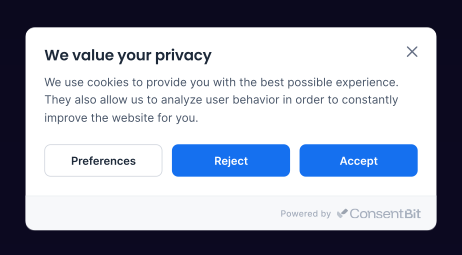
A banner is not consent
A banner announces cookies. Consent means nothing non-essential runs until the visitor agrees.
That distinction decides whether your Wix site is actually compliant. Wix sets its own cookies, but so does everything you added: Google Analytics, a Meta Pixel, a booking widget, a chat tool, an embedded video. Each one fires when the page loads unless something holds it back.
What Wix gives you now
If you are happy with the bundled banner, keep it. If you want design control, exportable records, or one tool across every site you run, you have another option.
Four questions that decide it
How to add a cookie banner to Wix
Scan your site
Add your domain and ConsentBit returns every cookie and tracker found, including the ones your apps and embeds brought with them.
Add the script
In your Wix dashboard, go to Settings → Custom Code (under Advanced), click Add Custom Code, paste the ConsentBit script, set it to load in the Head, apply it to all pages, and choose Load once.
Custom Code requires a Premium plan with a connected domain.
Set your rules and publish
Choose your categories, style the banner to match your site, set your regions, publish. Scripts stay silent until someone agrees.
Then turn off the Wix banner, so visitors are not asked twice.
How to check your Wix site actually blocks cookies
Do not take the banner's word for it. Two minutes.
Illustration of the test result. Cookie names are the examples from step 3.
What changes once ConsentBit is on
Nothing tracks before it should.
Analytics, pixels, chat widgets and embeds stay off until the visitor chooses.
The banner looks like your site.
Full design control on every plan, not a fixed template.
You can answer “prove it”.
Every consent is logged with its timestamp and choices, and exports as CSV or JSON.
Your other sites come along.
The same account covers Squarespace, WordPress, Webflow, Framer, Shopify, Magento, Drupal, Joomla and anything else where you can add a script.
Free plan available, and every paid plan comes with a 14-day trial and no card required.
Frequently asked questions
Yes. Wix now routes consent through Usercentrics, which covers Wix’s own cookies. Check whether it also holds back the scripts you added through Custom Code, such as Google Analytics or a Meta Pixel.
Yes. Add the ConsentBit script through Settings → Custom Code, set it to load in the Head on all pages, then turn off the Wix banner so visitors are not asked twice.
A banner on its own is not consent. Compliance depends on non-essential scripts staying off until the visitor agrees, and on a record you can produce. Run the two-minute test above to see what fires before anyone clicks.
Custom Code requires a Wix Premium plan with a connected domain.
ConsentBit runs as a single script, added once in the Head of your site. Until a visitor agrees, it also keeps non-essential scripts from loading.
Wix, Squarespace, WordPress, Webflow, Framer, Shopify, Magento, Drupal, Joomla and anything else where you can add a script. One account covers them all.